






Quadratic
An analysis platform that integrates AI, Python, SQL, and data connections in collaborative spreadsheets
Tags:AI table data processingWhat is Quadratic?
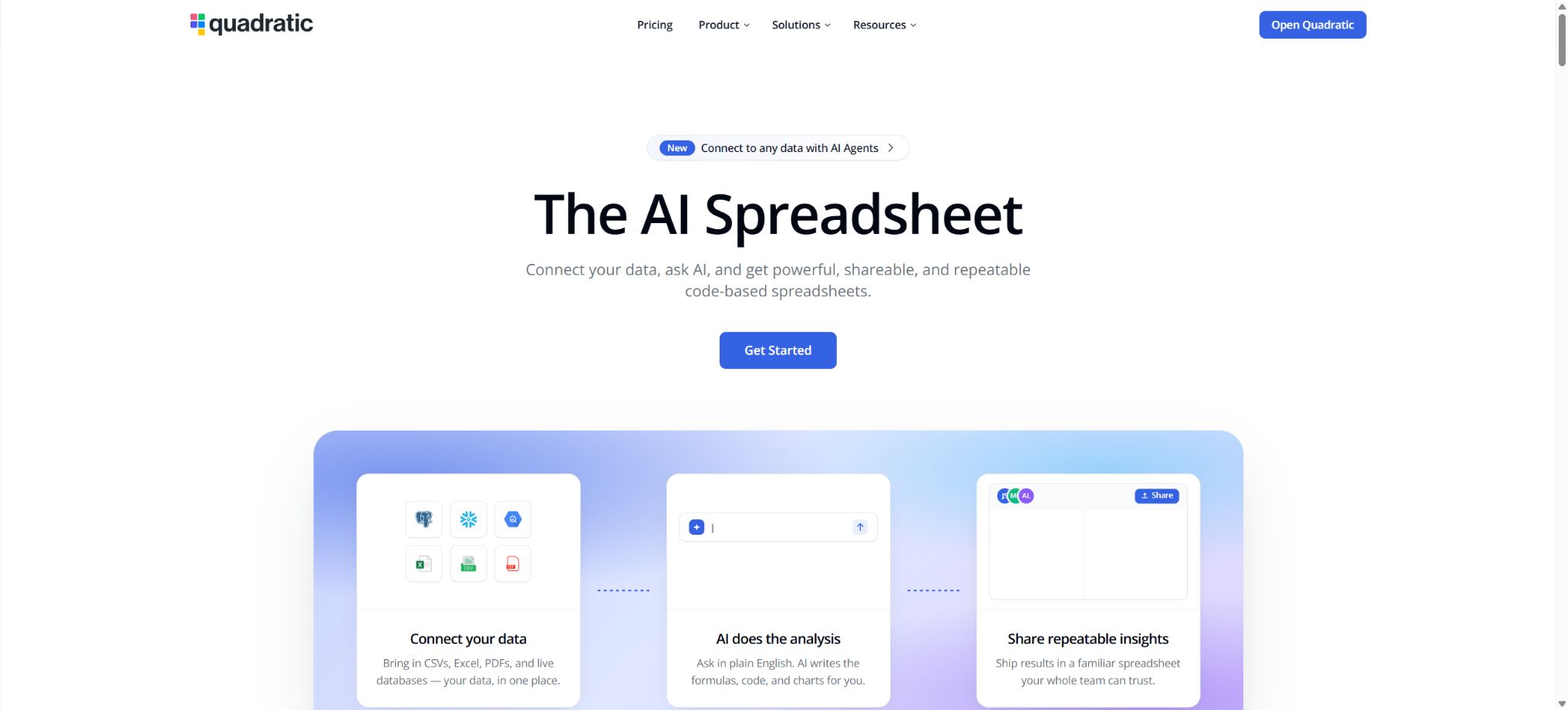
Quadratic is an AI-powered spreadsheet designed for data analysis, finance, operations, and technical teams. It retains the familiar cell and formula structure, while also allowing users to run Python, JavaScript, and SQL directly within the spreadsheet.
Its built-in AI assistant can understand the data in spreadsheets and generate code that can be viewed, modified, and reused. Compared to chat tools that only provide textual answers, Quadratic places more emphasis on an explainable analysis process, verifiable results, and collaborative file handling.
Main functions of Quadratic
- Natural language analysis:Express requirements for cleaning, aggregation, prediction, or visualization in plain language, and the AI will automatically plan and carry out the tasks.
- Traditional table formulas:It supports common functions, cell references, cross-sheet references, and formatting.
- Python cells:Running Python and data analysis packages in a grid allows the results to be outputted directly into multiple cells.
- JavaScript cells:Process data, call interfaces, and use Chart.js to create interactive charts.
- SQL query:Connect to a database or data warehouse, and write and execute queries within worksheets.
- AI code generation:Automatically writes, interprets, and fixes Python, JavaScript, SQL, and formulas.
- Data import:It can process data from sources such as CSV, Excel, Google Sheets, PDF, and images.
- Real-time collaboration:Multiple people can edit simultaneously, and view their teammates’ cursors, selection areas, and code changes.
- Data visualization:Generate charts that are updated in line with the underlying data, using AI, Python, or JavaScript.
- MCP connection to agents:AI tools compatible with MCP are allowed to read, write, and verify worksheets.
How does AI data analysis work?
From problems to executable code
Quadratic AI can view the data and structure of the current worksheet, and generate comprehensive analyses based on the user’s objectives or modify existing code. The system defaults to using Python, but it can also be switched to JavaScript, SQL, or formulas as required.
- Remove null values, duplicates, and dates with formatting issues;
- Generate descriptive statistics, grouped summaries, and trend analysis;
- Develop financial models, make forecasts, and conduct scenario analysis;
- Create charts, dashboards, and management summaries;
- Explain formulas, code, and analysis results;
- Keep the analysis steps in a table for review and reexecution.
Code generated by AI does not guarantee that the results will be correct; the business criteria, the scope of filtering, the handling of missing values, and the statistical assumptions still need to be confirmed by the user.
Importing PDFs and images
Users can drag PDF files into the AI dialogue or add them using the attachment button, and then use natural language to extract tables and the required fields. Images can also serve as part of the AI’s context, helping with recognition, organization, or data entry.
Scan quality, complex layouts, and tables that span multiple pages can affect the accuracy of recognition. After importing financial statements, contract data, and research materials, it is necessary to verify each key figure individually.
Python, JavaScript, and formulas
| Method | Suitable for tasks | Main features |
|---|---|---|
| Formula | Daily calculations, references, conditional judgments | The learning barrier is low; it is suitable for users who are familiar with Excel and Google Sheets. |
| Python | Data cleaning, statistics, machine learning, complex transformations | Data analysis packages are supported; the results of the code are displayed directly in a grid format. |
| JavaScript | API requests, web page data, interactive charts | Updatable visualizations can be created using Chart.js. |
| SQL | Database queries, aggregation, and real-time data analysis | Query the source data and place the results in a worksheet. |
| AI assistant | Generate, modify, and explain the above content | Lower the threshold for writing code, but the output must be manually verified. |
Different calculation methods can be used together in the same file. For example, data can be retrieved using SQL, then cleaned and modeled with Python, and finally presented to business professionals through formulas and charts.
Database and external data connections
The official documentation provides instructions for connecting to PostgreSQL, MySQL, Microsoft SQL Server, Supabase, BigQuery, Snowflake, and Neon. It is also possible to integrate with Google Analytics, Mixpanel, and other data sources that can be accessed via APIs.
- Connections can be managed uniformly within the team panel or worksheets;
- The SQL AI assistant analyzes the database structure to assist users in creating queries.
- Parameterized queries can use cell values as filtering criteria;
- The results returned by the database can be further analyzed using Python, formulas, and charts;
- The access rights of team members should be set in accordance with their roles and the principle of least privilege.
According to the official security documentation, Quadratic has the same database access rights as the account it is connected to. In a production environment, read-only accounts should be created, with permissions granted only for the tables and views required for analysis.
Comparison of Quadratic prices and packages
Quadratic charges based on the number of team users and the AI quota allocated. The figures shown below represent the annual pricing after discount; the monthly cost, taxes, and amounts due depending on the region are indicated on the purchase page.
| Package | Price | AI quota | Primary interests |
|---|---|---|---|
| Personal | Free | Limited AI usage | Suitable for personal use; sharing, files, connectivity, and support are limited. |
| Pro | $ | $ | More models, privacy control, unlimited sharing, files and connections |
| Business | 36 dollars per user per month, billed on an annual basis | $ | Includes Pro benefits; additional AI credits can be purchased as needed. |
| Enterprise | Custom quote | Custom AI usage | SSO, self-hosting options, custom features, and dedicated support |
Pro is billed based on all members of the team; new members are charged a proportionate fee for the remaining time of the current period. Users can cancel or downgrade their plan, and the actual effective date as well as the remaining quota will be indicated on the billing page.
How to choose a package
| Use cases | Recommended package | Reason for selection |
|---|---|---|
| Individual learning and occasional analysis | Personal | You can try out the core tables and limited AI capabilities for free. |
| Consultants, analysts, and small teams | Pro | Shared workspaces, more AI features, and unlimited file connections |
| High-frequency team analysis | Business | The AI quota is higher, and it can be increased as needed. |
| Compliance, private deployment, and large organizations | Enterprise | Supports SSO, self-hosting, and dedicated services |
| Teaching and Research | Education | Official education programs are available; applications must be submitted based on eligibility. |
Quadratic usage tutorial
Use AI to analyze CSV or Excel files
- Register an account and create a blank worksheet to import CSV or Excel files.
- First, check the column names, data types, dates, null values, and duplicate records.
- Activate the AI assistant and clearly specify the business problem, the scope of the analysis, and the desired output format.
- Let AI generate cleaning steps, Python code, formulas, or charts.
- Check the code inserted by AI to verify the filtering criteria, units, and calculation methods.
- Modify the prompts or code and run it again; finally, save or share the worksheet.
Connect to the database and generate a report.
- Create a read-only database account for analysis, and restrict access to the tables.
- In the team connection settings, select the database type and enter the connection details.
- Open the SQL editor and let the AI generate queries based on the table structure.
- It is executed after manually checking the fields, connection conditions, time range, and aggregation logic.
- Process the query results further using Python or formulas to generate charts.
- Set team permissions to allow access to connections and files only for the members who need it.
Create interpretable data charts
- Organize the clean data area and clarify the dimensions, metrics, and time range.
- Tell the AI the type of relationship, audience, and chart you wish to display.
- Choose Python or JavaScript to generate the charts, and keep the code used for generation.
- Check the coordinate axes, units, colors, missing values, and handling of outliers.
- Preview in demo mode, then share it with the team along with the worksheet.
MCP collaborates with agents
Quadratic supports the Model Context Protocol, which enables compatible AI assistants to use spreadsheets as tools for reading and writing data. Users can ask these agents to fill in data, modify worksheets, or verify analysis results, while also seeing the actual changes in the grid.
- Use the table as a structured workspace for the agent;
- Allow external AI to read cells, write results, and verify tasks;
- Keep the analysis process in the form of reviewable formulas, code, and data;
- Restrict file, team, and credential permissions before connecting to external agents;
- Establish manual review and version control processes for automatically generated content.
Which users are it suitable for
- Data Analyst:Integrate SQL, Python, AI, and visualization within the same grid.
- Finance team:Prepare budgets, forecasts, variance analyses, and management reports.
- Operations and Marketing Staff:Clean the exported data and quickly generate trends and conclusions.
- Products and Growth Team:Connect to databases, analyze events, and create shared dashboards.
- Consultant:Organize the client’s Excel, CSV, and PDF files into interpretable deliverables.
- Students and teachers:Learn data analysis and programming without the need to set up a local environment.
- Developers and AI teams:Study the source code, achieve self-hosting, and connect to agents via MCP.
Product advantages
- Integrate spreadsheets, code editors, AI assistants, and data connections into a single workspace;
- The code generated by AI can be viewed and modified, which facilitates explanation and auditing;
- Python, JavaScript, SQL, and formulas can work together in the same file;
- Supports real-time collaborative editing and sharing of data stories;
- It runs within the browser, so there is no need to set up a local programming environment for basic analysis;
- Offers source code, Docker self-hosting, and enterprise deployment options;
- External AI agents can be used to operate verifiable workbooks through MCP.
Usage restrictions and precautions
- The Personal plan offers a limited number of AI functions, sharing options, files, and connections.
- Pro and Business are billed based on the total number of users in a team, and adding more members will increase the bill amount;
- AI Credits come with a monthly limit, and cost control is necessary for frequent model analyses;
- At the moment, mobile devices offer mainly a read-only experience; complex editing is better suited for desktop browsers.
- The official introductory tutorials recommend using Chrome first, as Firefox and Safari offer relatively limited support;
- PDFs, images, and AI extraction may result in incorrect line breaks, missing values, or unit errors.
- Database connection permissions depend on the account being used, and incorrect configurations can expose or alter data.
- The fact that the source code is available does not mean it can be used freely for commercial purposes or republished as a competing service.
Security and privacy recommendations
The official website states that Quadratic holds certifications related to SOC 2 and HIPAA; the exact scope of these certifications can be verified on its Trust Center. When it comes to medical, financial, and customer data, such certifications do not replace an organization’s own responsibilities regarding access control, data masking, and auditing.
- Database connections use read-only accounts with minimal permissions;
- Do not enter the production administrator password in cells or Python code;
- Set Owner, Editor, and Viewer permissions for the team based on roles;
- Delete unnecessary identity information before importing sensitive files;
- External AI and MCP connections only expose the files required to complete the task;
- Save versions of the key analyses and manually review the final conclusions.
Source code, self-hosting, and licenses
The core code of Quadratic can be found in the official GitHub repository; it is licensed under the Quadratic Source Available License. The official documentation specifies that this is a source-available license, which permits reading, reference, personal use, and contributions – it is not one of the traditional open-source licenses such as MIT, Apache, or GPL.
According to the official Docker documentation, a single deployment allows up to 3 users to host it freely; for enterprise and commercial use, fees are charged per user and a license key is required.
With self-hosting, it is also possible to use one’s own OpenAI or Anthropic keys; for production deployments, one is responsible for managing the domain names, as well as carrying out updates, backups, and ensuring security.
Frequently Asked Questions
Is Quadratic free?
The Personal plan is free and allows access to the core worksheets as well as to a limited amount of AI functions. If more AI capabilities, unlimited file sharing, and additional connections are needed, it is possible to upgrade to the Pro or Business plan.
Can Quadratic open Excel?
It is possible to import data from Excel, CSV, Google Sheets, etc.; PDF and image files can also be imported. Complex formulas, macros, or special formats still require manual verification for compatibility after migration.
Can it be used without knowing Python?
Yes, users can rely on the table formulas they are familiar with; at the same time, the AI can generate and explain code in Python, JavaScript, and SQL. For important analyses, it is still advisable to understand the logic behind the generated content before using it to make decisions.
Is Quadratic open-source software?
Strictly speaking, it is source code visibility rather than the traditional open-source model; the core repository uses its own Source Available License. The rights for personal use and commercial deployment are different, so it is necessary to read the license first.
Can Quadratic be deployed privately?
It can be self-hosted using tools such as Docker; up to 3 individuals can use it for free. For commercial and enterprise deployments, corresponding licenses are required, and the users are responsible for managing the infrastructure and maintenance themselves.
Tools similar to Quadratic





 Guigong Network Security Registration No. 45132202000164