






Julius AI
An AI data assistant that analyzes CSV files, spreadsheets, and databases through dialogue and generates charts.
Tags:AI table data processingWhat is Julius AI?
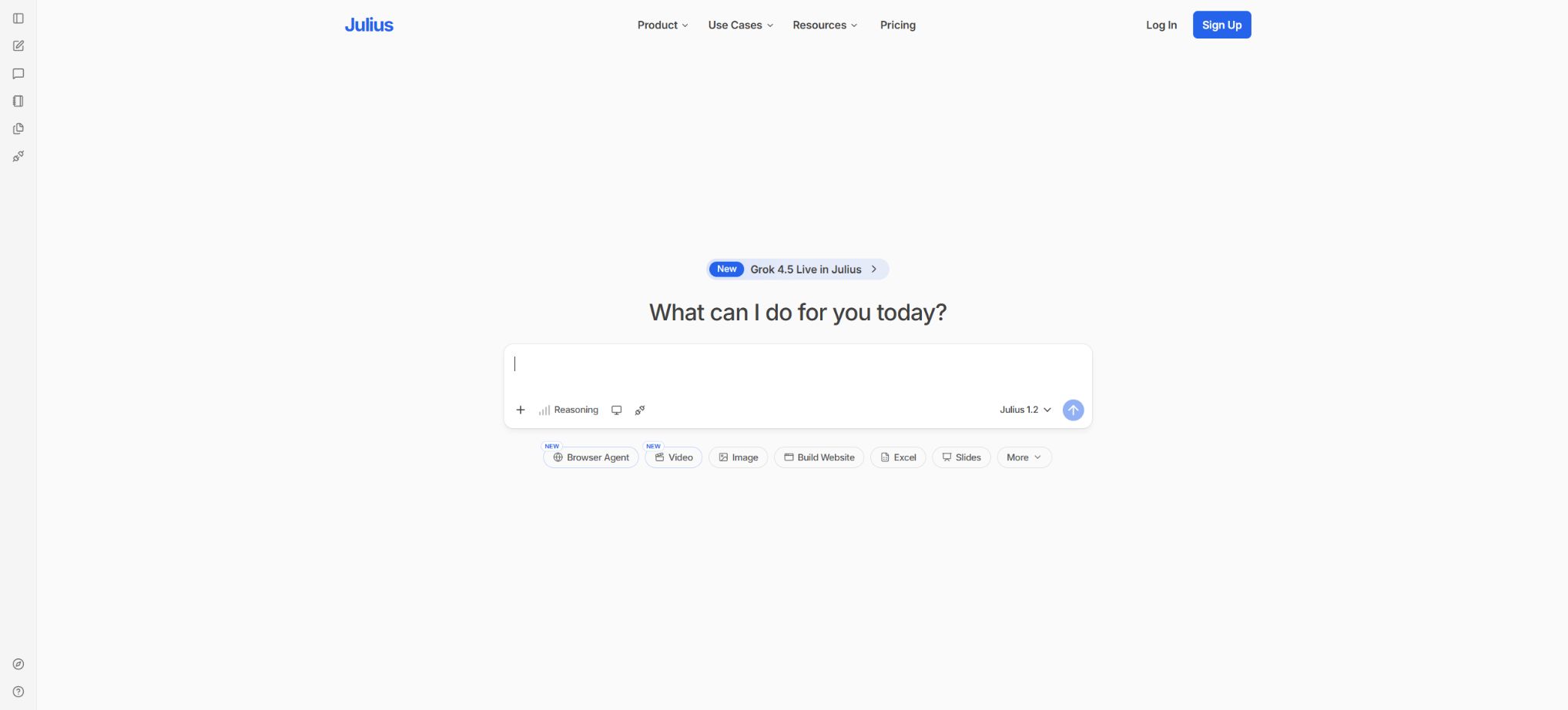
Julius AI is an AI agent designed for data analysis, statistics, visualization, and computing tasks. Users can upload files in Excel, CSV, SPSS, PDF format, or other types, or connect to a database, after which they can pose questions using natural language.
Julius will select an appropriate large language model, write and execute Python, R, or SQL code, and then return data tables, statistical results, charts, explanations, reports, or slides.
Its role lies somewhere between a chat-based data analysis assistant, a cloud-based Notebook, and a lightweight BI tool. Ordinary users can carry out tasks such as data cleaning, descriptive statistics, hypothesis testing, regression analysis, time series analysis, and data visualization without needing to know how to program first.
Analysts can view, modify, and reuse code, as well as create reproducible workflows in Notebooks.
Julius is operated by Julius AI Inc., and currently all plans for individuals, teams, and businesses are based on a points system.
Supported data and files
- Tables and data files:CSV, XLSX, XLS, JSON, Parquet, Feather, SQLite databases, and SPSS SAV files;
- Texts and documents:TXT, Markdown, and PDF can be used to extract content from tables, research materials, and reports;
- Image:PNG, JPEG, HEIC, WebP, and GIF – these formats allow the model to process charts, screenshots, or visual content;
- Code:Python, Jupyter Notebook, R, and SQL files can be used to continue analyzing existing scripts;
- Online sources:You can paste the URL of a public document, or connect to files in Google Sheets or Google Drive.
For connecting to Google Sheets, it is required that the file be set to \"Viewable by anyone with the link,\" which changes the scope of sharing for that file. Sensitive sheets should not have their links made public simply for convenience; instead, team connectors or controlled data warehouses should be used.
Julius also supports multi-sheet Excel, allowing direct reference to specific sheet names when giving instructions.
Natural language data analysis
- Data cleaning:Check for null values, duplicates, outliers, type errors, date formats, and incorrect spellings of categories, and generate a cleaned file;
- Descriptive statistics:Calculate the mean, median, standard deviation, quartiles, frequency, and distribution, grouped by region, product, customer, or time;
- Statistical test:Perform t-tests, ANOVA, chi-square tests, Mann-Whitney test, Wilcoxon test, Kruskal-Wallis test, correlation analysis, and other parametric or non-parametric methods;
- Regression and modeling:Linear and logistic regression, clustering, principal components, time series, forecasting, and machine learning analysis, with an explanation of the main coefficients and evaluation metrics;
- Data conversion:Connect tables, apply pivots, perform aggregations, split fields, calculate new variables, and generate downloadable results;
- Data visualization:Create bar charts, line charts, scatter plots, box plots, histograms, heat maps, and correlation matrices, and adjust titles, colors, legends, and labels;
- Reports and presentations:Based on the calculation results, structured analysis reports, HTML artifacts, images, and slides are generated, rather than just returning chat text.
Julius’ advantage lies in its ability to actually execute code, rather than relying solely on language models for mental calculations. Nevertheless, the models may still choose incorrect statistical methods, ignore underlying assumptions, read the wrong columns, mistake percentages for decimals, or overinterpret correlations.
High-risk analysis should require the presentation of code, sample size, handling of missing data, hypothesis testing, and confidence intervals, to be reviewed by someone with domain expertise.
Python, R, and SQL execution environments
Initially, Julius relied mainly on Python code for execution; later, the R Kernel was added, enabling data cleaning, plotting, ANOVA, linear regression, clustering, and other analyses to be carried out using R. Notebooks also allow users to write or paste Python, R, and SQL code, thus permitting a combination of natural language instructions with actual code.
Each user’s coding environment runs within an isolated container. Free plans provide 2GB of RAM, while Pro and higher individual plans usually offer 32GB; Enterprise plans can have 64GB or more, as specified in the contract.
An increased amount of memory does not mean that it is possible to handle arbitrarily large datasets; very large tables and long-duration training processes should still be carried out in data warehouses or specialized computing platforms.
Julius Notebooks
Notebooks break down the analysis into editable units, including data sources, natural language prompts, user inputs, custom code, and Markdown text. Users can run just a specific step again, without having to restart the entire process from the beginning;
It is also possible to add titles, images, and LaTeX formulas, so as to organize the analysis into a document that can be shared.
- Reproducible:It preserves the order of data, prompts, code, and outputs, thereby reducing the difficulty of reproducing chat records.
- Parameterization:The User Input Cell can ask for a date, a region, or a chart type, and then pass the response to the subsequent code;
- Team collaboration:Multiple users can view and modify Notebooks, as well as reuse templates and analysis methods;
- Scheduled execution:Set up automated reruns of data processing tasks, refresh reports, and share them via email or Slack;
- Local debugging:Modify a single step and execute it separately, which facilitates identifying errors and comparing results.
Scheduled Notebooks rely on data connections, permissions, database structure, and available credit. Production reports should be tested before they are run; settings for data updates, error alerts, and manual verification should be in place to prevent expired or incorrect results from being sent to management automatically.
Connection between database and data warehouse
Julius can connect to PostgreSQL, MySQL, SQL Server, Snowflake, BigQuery, and Databricks SQL Warehouse/Unity Catalog. Once connected, users can pose questions in natural language; Julius will then generate and execute SQL queries, create charts, and provide explanations.
Business also supports integration with team files such as Google Drive, OneDrive, and SharePoint.
When faced with thousands of tables, Julius learns the semantics of the schema in order to select the tables that are relevant to the query. The team can filter the schemas that are allowed to be accessed, provide a data dictionary, DBT-related information, or specify business metrics through custom agents.
Best practices include using read-only database accounts, restricting permissions on schemas and tables, setting query timeouts, and connecting to the read-only replica or warehouse first, rather than writing directly to the production environment.
Custom Agents
The Custom Agent is used to transform a company’s knowledge, analysis methods, and output preferences into a dedicated data assistant. It allows for setting a name, description, behavior duration, preferred type of output, instructions of up to 1000 characters, a maximum of 5 training tasks, and a knowledge base of up to 10,000 characters.
The system will use the knowledge base to select relevant content from the sub-Agents and add it to the context related to the current issue.
Typical uses include sales report Agents, financial analysis Agents, experimental statistics Agents, and customer success Agents. Experts first define the metrics, SQL schema, error handling procedures, and chart requirements, after which other team members carry out the tasks in natural language.
Training tasks serve as examples and guidance, and are not deterministic programs; when the schema, metrics, or business rules change, it is necessary to update the Agent accordingly and verify it again.
Julius Slack Agent
The team can use Slack to query databases, generate charts, send reports, and conduct ad-hoc analyses. The Julius Slack Agent handles multi-step tasks by incorporating access control, query validation, data cleaning, and schema management based on workspace learning.
Business supports unlimited use in public Slack channels, while enterprises can set more detailed permissions and governance rules.
Slack channels are not inherently secure data environments. Responses from bots may expose sensitive information to more team members; therefore, teams should limit the scope of installation, channel access, database permissions, and the fields that can be displayed, applying the principle of least privilege when it comes to financial, personal, and customer data.
AI models and integration
Julius is not tied to just one model – it aggregates models from OpenAI, Anthropic, and other providers, allowing different tasks to use various models and tools. The official website currently offers options such as GPT-5.5, GPT-5.6 Sol, Claude Sonnet, Claude Opus, Grok, and Muse.
The specific names, versions, and availability change rapidly; it is necessary to refer to the account model menu.
All operations involving AI and tools consume credits, and the complexity of models, context, code execution, and outputs affects the cost. Paid plans grant a fixed amount of credits on a monthly or annual basis, with credits also being refreshed daily.
It is necessary to check before starting operation whether the daily quota is carried over and what the actual consumption for different actions is.
Points cannot be simply converted into a fixed number of messages.
Individual and team prices
The following are the current official prices in US dollars. The annual payment option saves around 20% compared to the monthly payment, with the annual fee being paid in a single installment.
Taxes and regional prices are as indicated on the purchase page.
| Package or version | Prices, quotas, and core benefits |
|---|---|
| Free | $ |
| Plus | 20 dollars per month; when paid annually, the cost is 16 dollars per month. 2000 points per month or 24,000 points per year, with 1 seat available. It offers access to cutting-edge models, unlimited chart and file formats, and allows for the export of slides, HTML artifacts, charts, and images. |
| Pro | $ |
| Max | $ |
| Business | 450 dollars per month; when paid annually, the cost is 375 dollars per month. There are 60,000 points available each month or 720,000 points per year. Up to 50 members can be added, and access to services such as Postgres, BigQuery, Snowflake is provided; there is no limit on the number of tables that can be connected, custom Agents can be used, public Slack Agent channels are available, and scheduled reports can be generated. |
| Enterprise | Custom quotes are available, offering custom points, more memory, SSO, audit logs, fine-grained RBAC, sub-teams, data connections, as well as security and support. |
The package details listed in the pricing comparison table may occasionally differ due to website updates; such differences can relate to the model version, permanent storage options, and the calculation method for Business points. It is necessary to refer to the final billing page, the contract, and the Workspace Usage page before making a purchase.
The main advantages of the high-cost Max, Ultra, and Business versions lie in points, context, connectors, and governance; they are not necessarily more accurate than the Plus version in every analysis.
File retention and privacy
Files of Free users are deleted after 1 hour of inactivity, while those of regular paid users are deleted after 7 days of inactivity. Ultra, Business, and enterprise plans indicate permanent file storage, but the exact scope depends on the respective plan.
Users can delete them manually in My Files; a Factory Reset will permanently remove the uploaded files as well as any stored data.
Julius states that data access is subject to strict permission controls, the code environment is isolated per user, and data deleted by users is removed from the server; moreover, the system meets the requirements of SOC 2 Type II and CCPA. A privacy policy does not guarantee compliance in all industries.
For medical, financial, educational, and regulated data, it is necessary to sign a DPA, define the data areas, identify sub-processors, specify the retention period, and establish enterprise security measures.
Platform and API status support
Julius is primarily used through web applications, with mobile apps mentioned in the privacy policy. Slack Agent is used for team conversations, while database connectors, Google Drive, OneDrive, and SharePoint are used for accessing data.
The analysis results can be exported as a file or sent via scheduled Notebooks.
At the moment, Julius does not offer any public pricing information for its general-purpose reasoning API, nor any self-service documentation for regular developers. Business and Enterprise users can integrate this functionality into their processes using connectors, Slack, scheduled Notebook tasks, and custom integrations.
If programmatic access is required, it is necessary to confirm the corporate API with the authorities; one should not mistake the ability to connect to a database for the provision of a public API.
Open-source status and GitHub
The Julius web platform, agent orchestration, code sandboxing, and business model are not open source, and there is no official complete self-deployment repository available. Projects on GitHub with names related to Julius, such as those for security scanning or programming languages, have no connection to Julius AI Inc.
The Python, R, and SQL code generated by Julius can be viewed and reused by users, but this does not mean that the platform itself is open source.
Julius AI Usage Guide
Complete a basic task.
- Clarify the issue, time frame, location, source priority, and output format;
- In Julius AI, upload materials for which you have permission to use, or enter search queries;
- First, a framework is established using available data and files, and then evidence is added through the analysis of natural language data.
- It is necessary to distinguish between factual information from the source, the author’s opinions, and AI-generated conclusions.
- Check each item for dates, numbers, the original location, and any conflicting evidence;
- The conclusions are manually revised, the verification time is recorded, and then they are published;
Create reusable professional workflows
- Break down complex topics into four categories of questions: background, data, comparison, and conclusions;
- The data and files that the combination supports, along with natural language data analysis and the Python, R, and SQL environments, constitute the fixed research steps.
- Give priority to using the official website, research papers, regulatory documents, and raw data;
- A second person is assigned to review conclusions that are considered high-risk;
- Save queries, evidence, versions, and unresolved issues;
- Re-run after the data changes and update the conclusions;
Which users are it suitable for
- Operations and management staff who cannot program but need to analyze Excel, CSV, survey data, and business data;
- Students and researchers who need t-tests, ANOVA, regression, clustering, and visualization;
- Analysts and data scientists who wish to accelerate their work with Python, R, and SQL using natural language;
- Consulting teams that need to create charts and presentations from PDFs, reports, and multi-sheet files;
- Business teams that wish to use Notebooks to automatically generate weekly and monthly reports as well as timely insights;
- Companies that need to connect to warehouses, share semantic rules, and query data in Slack.
Usage restrictions and precautions
- AI may generate code that functions but is statistically inappropriate;
- When performing significance tests, regression, or forecasting, it is necessary to first examine sample independence, distribution, variance, missing values, multiple comparisons, data leakage, and time splitting.
- The relationships shown in the output cannot be directly interpreted as causal relationships.
- Charts and slides may present incorrect units, aggregations, and field names in a professional manner;
- Upon request, Julius should retain the calculation sheets, code, and data lineage, and verify the key results by cross-checking them with Excel, SQL, or independent statistical software.
- The external facts and references listed by large models also need to be verified separately;
- When connecting to the production database, use read-only accounts with minimal permissions to limit query costs and schema complexity;
- Custom Agents, scheduled Notebooks, and SlackAgents execute automatically and disseminate their results; it is necessary to establish mechanisms for approval, budget control, anomaly alerts, and access restrictions.
Frequently Asked Questions
Is Julius AI free?
There is a free version that offers daily free credits, Notebooks, and basic file analysis; however, it has only 2GB of RAM and files are deleted after 1 hour of inactivity. Ongoing use and advanced models require payment.
How much is Julius AI?
Plus costs $20 per month, Pro costs $45 per month, Max costs $200 per month, Ultra costs $500 per month, and Business costs $450 per month; the annual rates are equivalent to $16, $37, $166, $416, and $375 per month respectively.
Can Julius analyze Excel and SPSS?
Yes, it supports XLSX, XLS, CSV, and SPSS SAV formats; it also accepts multiple sheets, JSON, Parquet, SQLite, PDF, and images.
Can Julius run code?
Yes. It can generate and execute Python, R, and SQL code; users can also view, modify, and reuse this code in Notebooks.
Can Julius connect to a database?
It supports PostgreSQL, MySQL, SQL Server, Snowflake, BigQuery, and Databricks, and is primarily designed for Business and Enterprise workflows.
Is Julius open source?
It is not open source, and there is no official full self-deployment version available. The analysis code that is generated can be exported and reused, but the cloud platform and the Agent system remain proprietary services.
Tools similar to Julius AI





 Guigong Network Security Registration No. 45132202000164