






Rows AI
An online tool that restructures table analysis processes using natural language, AI tasks, and data connections
Tags:AI table data processingRows AI has been shut down.
Rows AI was once a cloud-based tool that combined spreadsheet functions, AI-driven data analysis, online data integration, automation, and shareable reports. In February 2026, Rows officially announced that Superhuman had agreed to acquire the company; the Rows team would join Superhuman’s framework with the goal of enhancing Coda’s capabilities for data teams.
The authorities also specified that the Rows product should be phased out over a period of three months, withMay 31, 2026Fully closed.
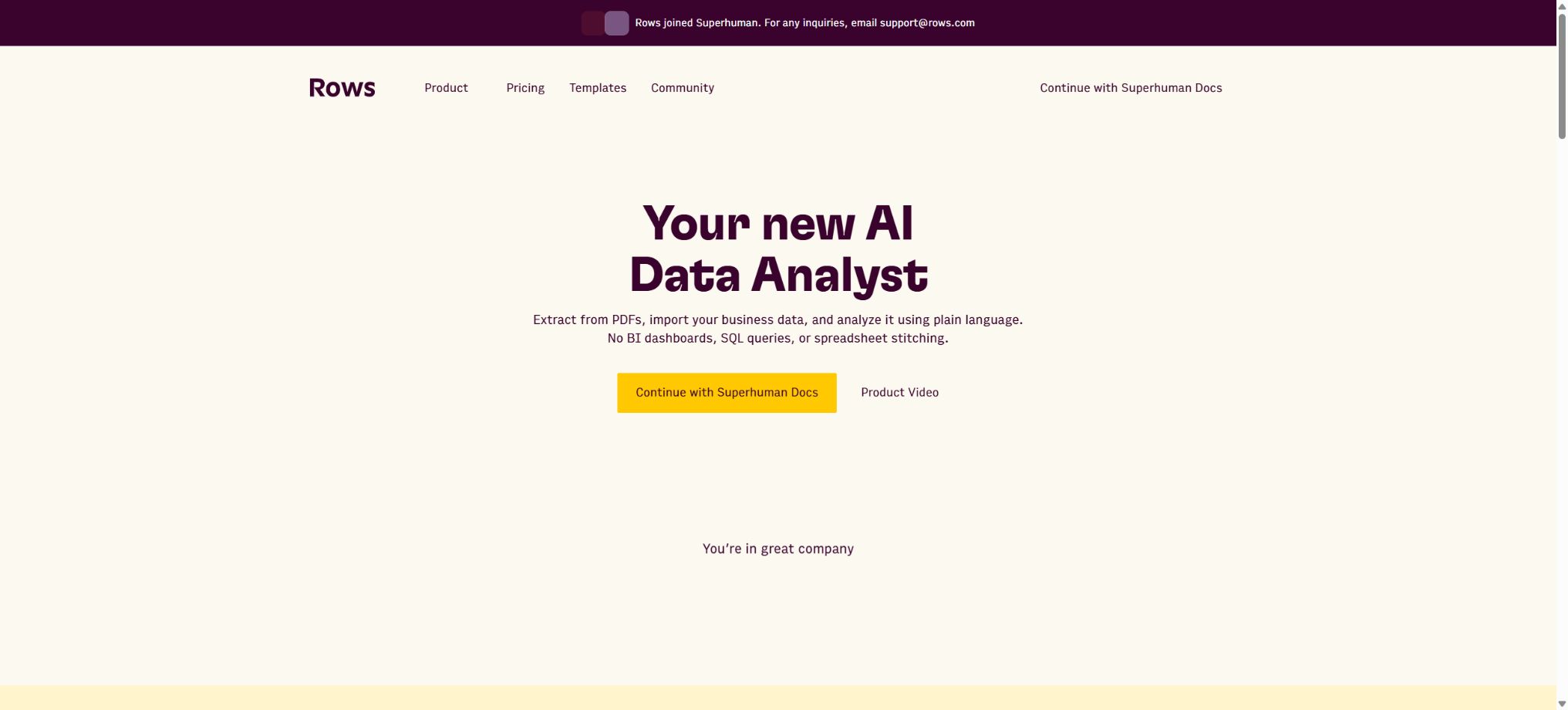
As of the time of this verification, the Rows official website, help documents, historical price page, and template page are still accessible; at the top of these pages it reads “Rows joined Superhuman”. The main buttons guide users to continue using Superhuman Docs or Coda. These pages are intended for transitional purposes and to retain existing information, and they do not indicate that Rows is still accepting new users as a standalone product.
The catalog should mark such plans as “Out of service/No longer available,” and it should no longer show options like “Use now,” nor should past package prices be presented as current purchase prices.
The product background of Rows
Rows began development in 2017; its initial name was dashdash, and it was renamed Rows in 2020. Its goal is to enable business users to connect online services, carry out automation tasks, and create web applications using a familiar table-based interface, without the need to learn SQL, scripting languages, or traditional BI systems.
According to official figures, during its nine years of operation, more than 2.2 million people have used Rows; over 17 billion table functions have been executed, more than 8.3 billion instances of business data import have taken place, and there have been over 800,000 requests for AI Analyst assistance.
Superhuman’s product portfolio includes Grammarly, Superhuman Mail, Coda, and Go. After the acquisition, the Rows team brought its expertise in data integration, data transformation, visualization, and natural language analysis to Coda.
For existing users, Coda represents the official path forward, but it is not a one-to-one replacement for the Rows file format and all its functions; after the migration, it is necessary to re-examine formulas, integrations, automation processes, permissions, and embeddings.
Core historical functions
- Modern online forms:It offers cells, formulas, tables, charts, pivot tables, conditional formatting, filtering, sorting, and real-time collaboration; it also allows multiple tables and visualization elements to be placed on a single page.
- Built-in data integration:Connect to over 50 sources such as Google Analytics, Search Console, advertising platforms, CRM systems, databases, financial data, and custom HTTP APIs, to import external data directly into tables.
- Data Tables:An updatable intelligent data table is generated based on the selected connection services, filtering criteria, and time range. The paid version allowed for automatic updates on a daily or minute-by-minute basis.
- Cell Enrichment:Invoke integrated functions in cells or entire columns to add fields for company details, contacts, market data, AI-generated text, and other online information.
- Interactive sharing:Tables can be transformed into forms, calculators, dashboards, or web applications, which can be embedded in websites, Notion, and blogs; visitors can then interact with them using buttons, input fields, and filters.
- RowsX browser extension:It identifies tables from web pages and imports the rows, making it suitable for converting public lists into structured data.
- Rows API:Reading from and writing to specific tables, rows, columns, and cells in external systems was used to treat rows as a lightweight data backend or to transfer data between business systems.
AI Analyst
AI Analyst is Rows’ natural language table assistant. Users can ask it to calculate averages, medians, and profit margins, add formula columns, merge multiple tables, clean data, identify duplicates, create charts, apply formatting, perform find-and-replace operations, or create tracking tables, models, and calculators from scratch.
Using the @ symbol allows for an explicit reference to a specific table, thereby reducing the risk of the assistant selecting the wrong data source.
- Data analysis:Aggregate metrics by dimensions such as product, region, and time to generate pivot results and explanations;
- Table conversion:Splitting and merging columns, extracting date portions, performing searches across tables, creating logical columns, and adding datasets;
- Check and clean:Detect duplicate records, highlight extreme values, copy ranges, and format currencies and percentages;
- Web research:Perform lookup or scrape on the existing URLs in the table, and extract the fields from those pages into new columns;
- Chart:Create bar, line, area, or composite charts using specific indicators, dimensions, and chart types;
- Model construction:Create a compound interest calculator, a recruitment process table, and a business model based on the description, and fill in the formulas.
An analyst does not carry out endless inference after reading the entire dataset. According to the official documentation, it typically understands the data by using the table headers, up to 5 sample rows, and basic statistical information.
Personal information that appears in the first row, first column, or sample rows may be sent to the model provider.
A checkpoint is created every 3 prompts or whenever more than 3 actions are performed in a row; each table can hold up to 50 checkpoints, which are retained for 7 days to enable rolling back AI-induced changes.
Rows AI function
In addition to the chat-based Analyst, Rows also provides AI functions that can fill entire columns.
ASK_AI is used for general question-answering, CLASSIFY_AI is used for classification, APPLY_TASK_AI is used to carry out custom tasks, FIND_FACT_AI is used to locate facts, EXTRACT_AI is used to pull out information, SUMMARIZE_AI is used for creating summaries, SENTIMENT_ANALYSIS_AI is used to analyze emotions, and REWRITE_AI is used to rewrite text.
Functions designed for marketing and e-commerce also include the generation of ad copy, Meta descriptions, product titles, product descriptions, as well as keywords and common spelling errors. These functions can be used in batch mode, just like ordinary formulas, by referencing cells; however, processing each row may consume Cell enrichment credits.
AI outputs may suffer from misclassification, hallucinations, and language errors; therefore, a sample review is necessary before writing them back into CRM or publishing them on web pages.
Rows Vision
Rows Vision can extract the content from PDFs, screenshots, photos, CSV, and Excel files into structured tables. Users can provide instructions such as “extract only dates and amounts” or “read the details of invoice lines”, making it suitable for handling invoices, reports, and scanned tables.
It supports PDF, JPG, PNG, WEBP, CSV, XLS, XLSX, and TSV; the documentation indicates that the maximum size of files that can be uploaded via Vision is 20 MB.
Each file processed is typically counted as one AI task, and large files may be divided into multiple tasks. The Rows option indicates that the file will be deleted after processing within its own system, but third-party AI providers may have different retention policies.
The official examples state that files related to OpenAI are typically removed within 30 days after they are deleted, while Google Gemini logs can be retained for up to 55 days by default.
Sensitive invoices, identification documents, medical records, and customer files should not be assumed to meet organizational compliance requirements merely because “the rows are not trained”.
AI Replays
AI Replays are similar to AI macros: the user first carries out a series of steps for cleaning, formatting, summarizing, and generating reports using Analyst, and then selects all or some of these actions to save as a Replay. This allows those steps to be run again on new data, thereby reducing the need to rewrite the instructions each time.
Replay belongs to the workspace, and all members of the workspace can access it and use it.
Although Replay improves consistency, when there are changes in the table structure, differences in column names, or issues with the source data, old actions may write data to the wrong locations. Before automating the process, it is necessary to keep test copies, clearly define the input columns, output columns, and acceptance criteria; historical successes cannot be considered permanent proof of reliability.
Historical prices and quotas
The packages listed below represent the last version of prices available on the official website before Rows ceased operations; they are intended solely to assist original users in checking their bills, assessing the scale of the migration process, and comparing alternative solutions. These are no longer valid pricing options for purchases at present. The prices do not include sales tax or value-added tax.
| Package or version | Prices, quotas, and core benefits |
|---|---|
| Free | $ |
| Plus | $ |
| Pro | The basic fee for the workspace is 79 dollars per month, plus 8 dollars per user per month; when paid annually, the cost is 59 dollars plus 6 dollars per user. There are 1,000 AI tasks available each month, with Data Tables being updated automatically at a maximum of once per minute. The service includes 100 integrated accounts, up to 200 guests, 100MB of data import capacity, version history for 2 years, 1 million API calls per month, and video support. |
| Enterprise | Custom quotes are available; options include unlimited AI tasks and integrated accounts, a higher volume of API calls, custom endpoints, customized AI models and functions, SAML SSO, a dedicated customer success manager, and custom themes. |
The definitions of AI Tasks include sending a message to an Analyst, triggering AI actions from tables or charts, and processing files using Vision. Using AI through APIs consumes both API calls and AI Tasks, which are equivalent to user operations.
Cell enrichment is another type of quota: Free allows 500 requests per month, while Plus and Pro allow 1 million requests per month.
The tutorial for using Rows AI is no longer available.
Create reusable professional workflows
- Different keys and quotas are used for development, testing, and production environments;
- Create a representative evaluation set using modern online forms, built-in data integration, and Data Tables;
- Set timeout, concurrency, retry, throttling, and budget limits;
- Perform checks on the output regarding facts, security, format, and sensitive information;
- Monitor changes in model version, price, latency, and failure rate;
- Prepare plans for downgrading the model, implementing circuit breaking, and taking manual control;
Limitations of historical platforms
- A single user can have up to 5 Workspaces; each Workspace can contain up to 100 folders.
- Each folder can contain up to 500 spreadsheets, and each spreadsheet can have up to 200 pages;
- Up to 200 tables per page, and up to 30 table, chart, or pivot table elements per page;
- A regular table can have up to 100,000 rows, 404 columns, and 1 million cells;
- Each table can have up to 50 conditional formatting rules and 5 automated functions.
- For GET, POST, and PUT web requests, the maximum size is approximately 1000 KB, with a timeout of 60 seconds;
- Rows is primarily supported on desktop browsers such as Chrome, Safari, and Firefox.
These restrictions apply only to the Rows prior to shutdown, and should not be regarded as the current specifications for Coda, Superhuman Docs, or other alternatives.
Data migration recommendations
- Export raw data:Export the key tables as XLSX or CSV, and save for each Workspace a list of items, the person in charge, their purpose, and the date of the last update.
- Saving logic:Record formulas, AI functions, HTTP requests, Data Table filtering criteria, auto-refresh frequency, and Replay steps; it is not sufficient to only save the final values.
- Inventory connections:List the Google Analytics, CRM, advertising, database, and API accounts, and revoke any OAuth authorizations and API Keys that are no longer in use.
- Save and display:Save screenshots, field descriptions, and interaction rules for important dashboards, forms, calculators, and embedded pages.
- Choose a substitute:The official recommendation is Coda; for traditional tables, Excel and Google Sheets can be used, while for advanced analysis, BI tools are a good option; if a code-free database is needed, services such as Airtable come into consideration.
- Parallel verification:After rebuilding the formulas and integrating them into the new platform, use the same set of inputs to compare totals, filtering, dates, exchange rates, null values, and error handling.
- Update external entrance:Replace website embeds, shared links, automated Webhooks, and the Row addresses in documents, and inform the teams that rely on those reports.
If the official window for exporting data before service shutdown is missed, it is necessary to contact Rows support or Superhuman support as soon as possible to ask whether there is still a way to recover the account data. The fact that the official website’s information pages remain accessible does not mean that the user’s files will definitely be preserved, and historical sharing links should not be used as a long-term backup solution.
Privacy and AI Data Notes
Rows has stated that it will not use user-generated table data to train models that can benefit other users, and will try to send only the necessary information. However, Analyst may provide table headers, sample rows, and statistical data to OpenAI, Llama, or other selected models.
Whether data is sensitive depends on its content, not on its file size; names, email addresses, salaries, contract details, and medical information can still be processed when they appear in the data rows.
Once Rows ceases to operate, the original data will be subject to the acquisition terms, transition agreements, and the current terms of Superhuman. The team should review the final notices, download any available data, disconnect from the system, and decide whether to request account deletion in accordance with the internal retention policies.
Open source and GitHub status
The Rows web table engine, AI Analyst, Vision, data integration, and managed APIs are not open-source products. The official documentation once placed some older version update logs on GitHub, and used GitHub to display job listings or other public information, but there is no complete Rows code repository that can be deployed on one’s own.
The numerous warehouses on the internet whose names contain the word “rows” have nothing to do with this product.
Who is suitable to view this information?
- It is necessary to verify whether Rows remains a visitor in the directory of AI tools that can be registered and used on a long-term basis.
- Old users whose original Rows accounts, bills, documents, and integrations are being migrated are currently being processed;
- Teams comparing AI spreadsheet products and wishing to learn about the historical design and feature set of Rows;
- Assess whether Coda can accommodate the Superhuman ecosystem users who use the Rows process;
- Developers who study AI Analyst, Vision, Replays, and data integration products.
Frequently Asked Questions
Can Rows AI still be used?
It should no longer be considered a standalone product that can be used over the long term. The authorities have scheduled for Rows to be completely shut down by May 31, 2026; the existing website will mainly serve to store information and direct users to Coda.
Why was Rows shut down?
Superhuman has agreed to acquire Rows; the team will utilize its expertise in data integration and AI analysis to enhance Coda and Superhuman’s productivity tools, as a result of which the standalone Rows product will cease to be available.
What is an alternative to Rows?
Officials recommend using Coda. Whether this is appropriate depends on the original workflow;
For traditional tables, Excel or Google Sheets can be used; whereas for data dashboards and no-code databases, it is necessary to choose options based on connectors, permissions, and automation features.
How much has Rows been worth over the years?
Before the service was discontinued, the cost was 8 dollars per user per month for the Plus plan, and 79 dollars per month as a base fee plus 8 dollars per user per month for the Pro plan; after applying the annual payment discount, these amounts became 6 dollars and 59 dollars plus 6 dollars respectively. These figures should now be considered only as historical references.
Does Rows provide an API?
The Rows API, which allowed for reading and writing to tables, offered different package tiers: from 500 operations per month in the Free version to 1 million operations per month in the Pro version. Once it was discontinued, these interfaces can no longer be considered to be under long-term support.
Is Rows open source?
It is not open source, and there is no official complete self-deployment version available. Before it stops operating, the data must be exported in a standard format so that the logic can be re-created on another platform.
Tools similar to Rows AI





 Guigong Network Security Registration No. 45132202000164